
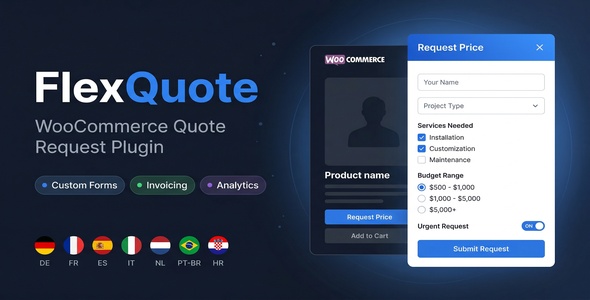
FlexQuote – WooCommerce Quote & Price Request
Replace the “Add to Cart” button with a “Request Price” button. Build custom quote forms using drag and drop, manage all requests from one dashboard, send invoices, and let your customers pay through WooCommerce checkout.
Drag & Drop Form Builder
Built-in Invoicing
Analytics Dashboard
Conditional Logic
7 Languages
HPOS Compatible
Built-in Invoicing
Analytics Dashboard
Conditional Logic
7 Languages
HPOS Compatible
Custom Quote Forms
Build as many forms as you need with 10+ field types, conditional logic, and multi-step layouts. You can assign a different form to each product.
Analytics & Insights
See how many requests you get, your quote and conversion rates, and which products are most popular.
Invoicing & Payments
Send invoices with one click. Your customers can pay through the normal WooCommerce checkout using any payment method.
REQUESTS DASHBOARD
Manage All Quote Requests in One Place
Every price request goes straight to your admin dashboard. You can filter by status, check customer details, update statuses, add notes, and send invoices without leaving the page.
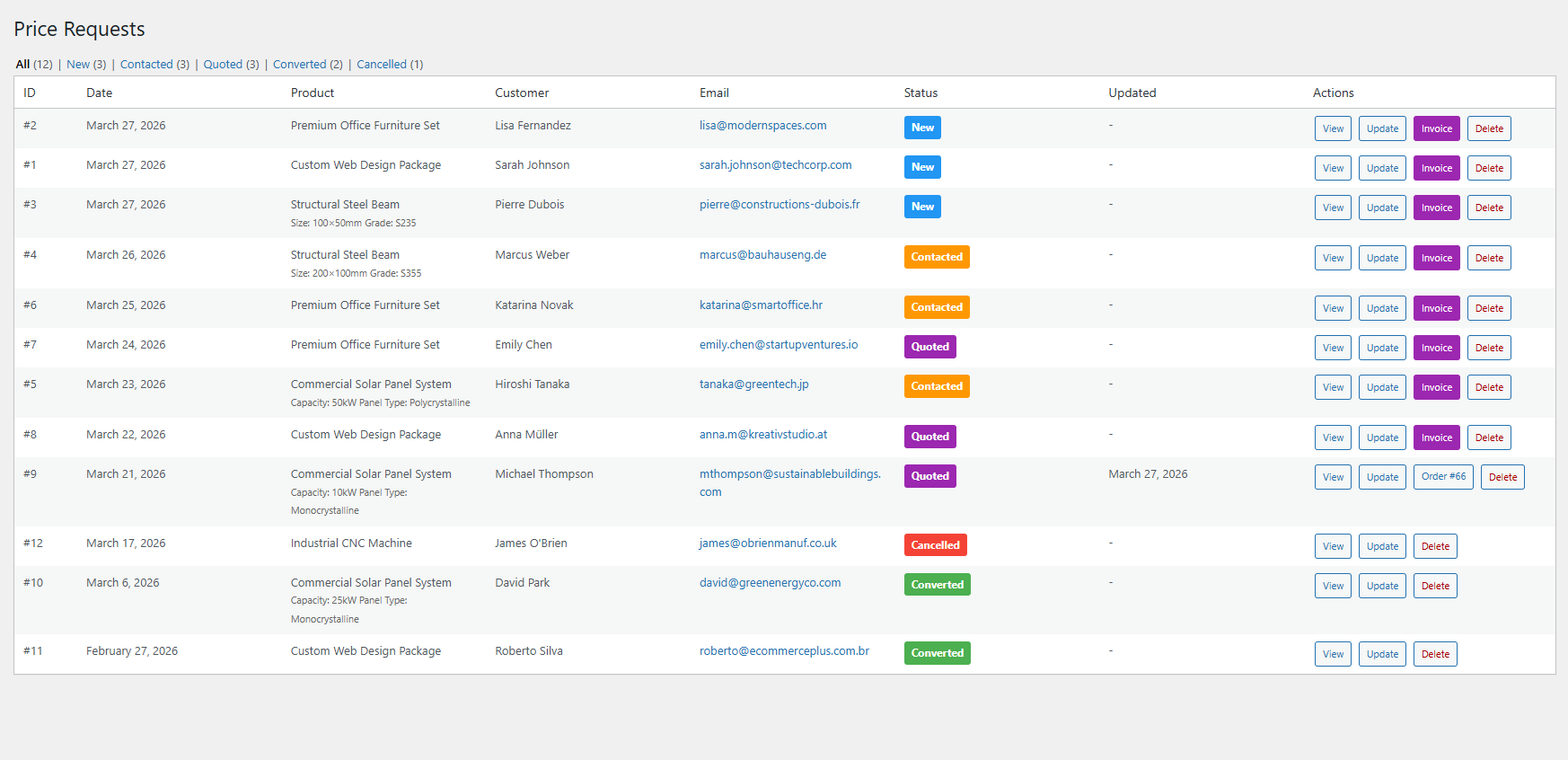
- Status workflow: New → Contacted → Quoted → Converted (or Cancelled). Each status has its own color so you can see what needs attention right away.
- Quick actions: View request details, update status with notes, send invoices, or delete. Everything is accessible from action buttons on each row.
- Filter by status: Use the status tabs (All, New, Contacted, Quoted, Converted, Cancelled) to quickly find the requests you are looking for.
- Customer info at a glance: See the customer name, email, phone, product, variation data, and submission date right in the table.
- One-click invoicing: Click “Invoice” to open a popup, enter the price, add extra line items if needed, and send. A WooCommerce order is created automatically and the customer gets a payment link by email.
Send Invoices Right from the Dashboard
When you are ready to quote a price, click the “Invoice” button on any request. A popup opens where you can enter the quoted price, add extra line items (like maintenance or custom parts), and include a note for the customer. Once you hit “Send Invoice”, a WooCommerce order is created and the customer receives an email with a payment link.
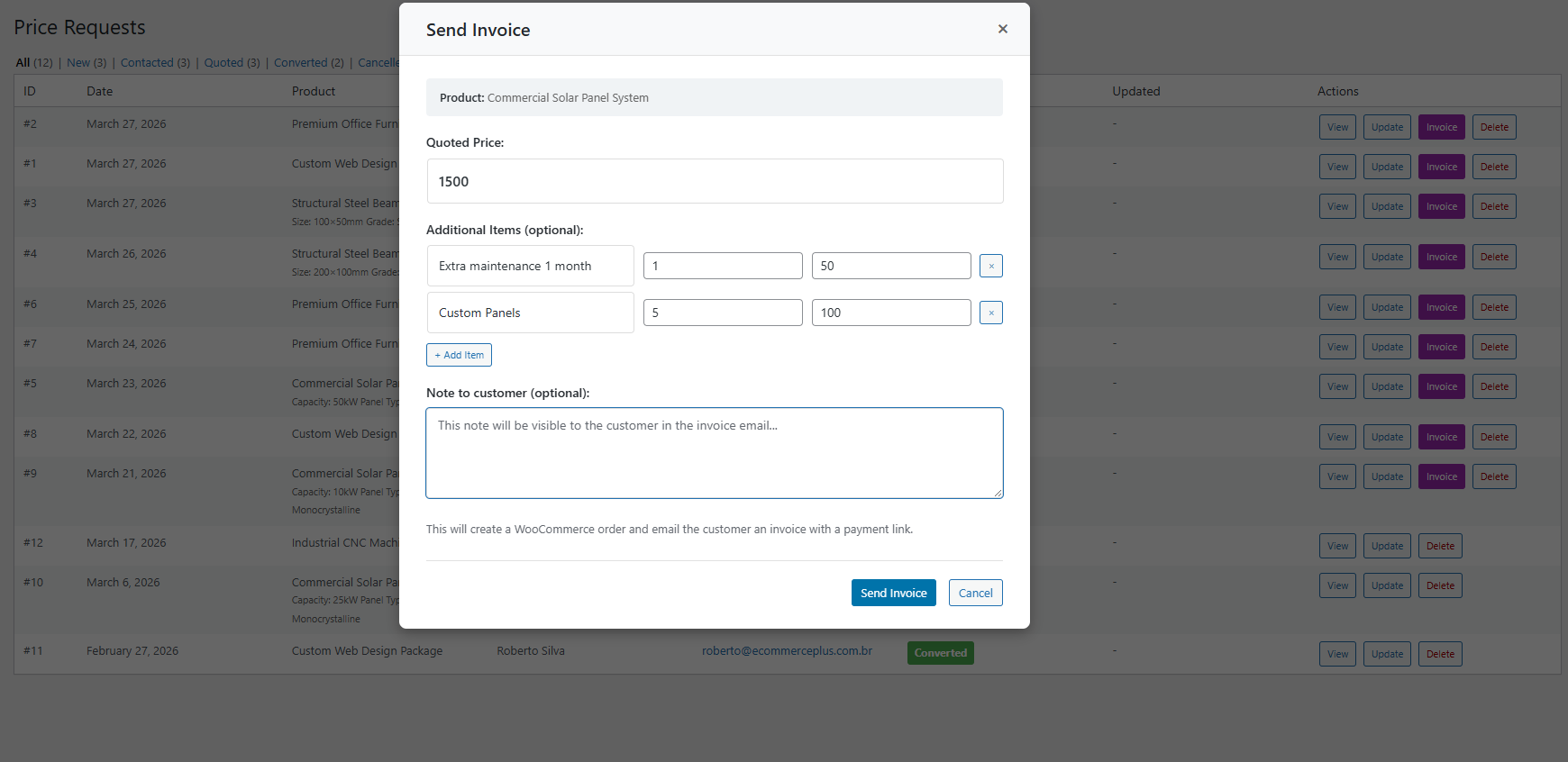
- Quoted price: Enter the price you want to charge for the requested product.
- Additional items: Add extra line items with a name, quantity, and price. Great for adding services, accessories, or shipping fees.
- Note to customer: Write a personal message that the customer will see in the invoice email.
- Automatic order creation: A WooCommerce order is created behind the scenes, and the customer gets a payment link so they can pay through the normal checkout.
ANALYTICS
Track Performance with Visual Insights
Get a clear picture of how your quotes are doing. The built-in analytics dashboard shows your key numbers, trends over time, and which products get the most requests.
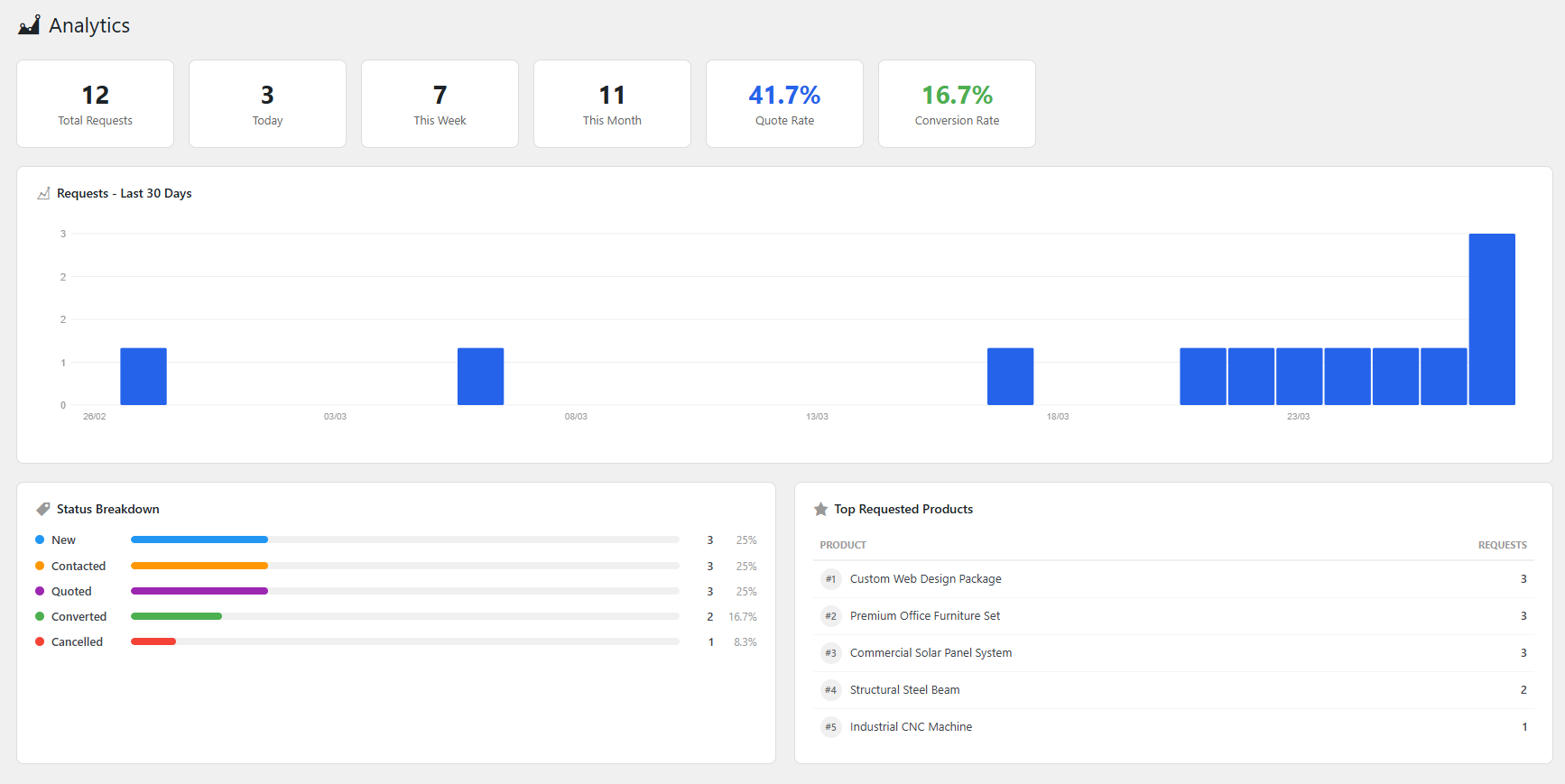
- Key metrics: See total requests, today’s count, this week, this month, quote rate, and conversion rate as easy-to-read stat cards.
- 30-day trend chart: A bar chart that shows how many requests you get each day, so you can spot busy periods.
- Status breakdown: A horizontal chart that shows how your requests are split across statuses like New, Contacted, Quoted, Converted, and Cancelled.
- Top requested products: A ranked list of your most popular products so you know where the demand is.
FORM BUILDER
Drag & Drop Form Builder with Conditional Logic
Create custom quote forms with a visual drag and drop builder. No coding needed. You can use a different form for each product. For example, use an inquiry form for services and a bulk order form for industrial products.
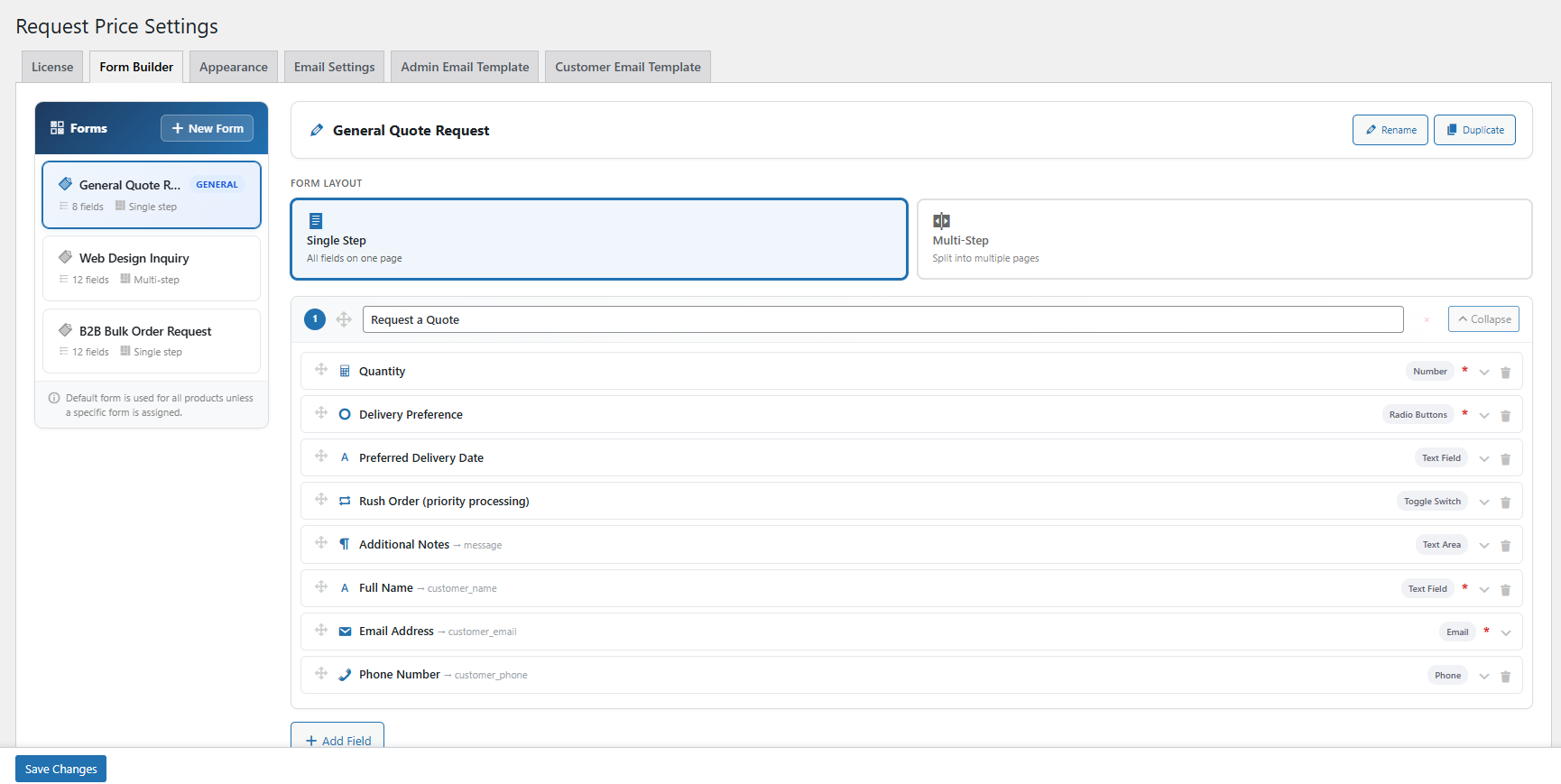
- Unlimited forms: Create as many forms as you need. Each product can have its own form, or it will use the default one.
- 10+ field types: Text, email, phone, number (with min/max), textarea, select dropdown, radio buttons, checkboxes, toggle switches, and more.
- Single or multi-step: Use a single-page form, or split it into multiple steps with a progress indicator at the top.
- Drag & drop reordering: Rearrange fields and steps by dragging them around. You can also move fields between steps.
- Product assignment: Assign forms to specific products right from the form builder. Products without a form will use the default.
Conditional Logic: Show or hide fields based on what the customer selects. For example, only show “Preferred Delivery Date” when “Express Delivery” is selected. Or show “Number of Products” only when “E-commerce Store” is chosen as the project type.
Detailed Field Configuration
Every field is fully configurable. You can set the label, type, placeholder, required status, description text, conditional visibility, and options for multi-choice fields.
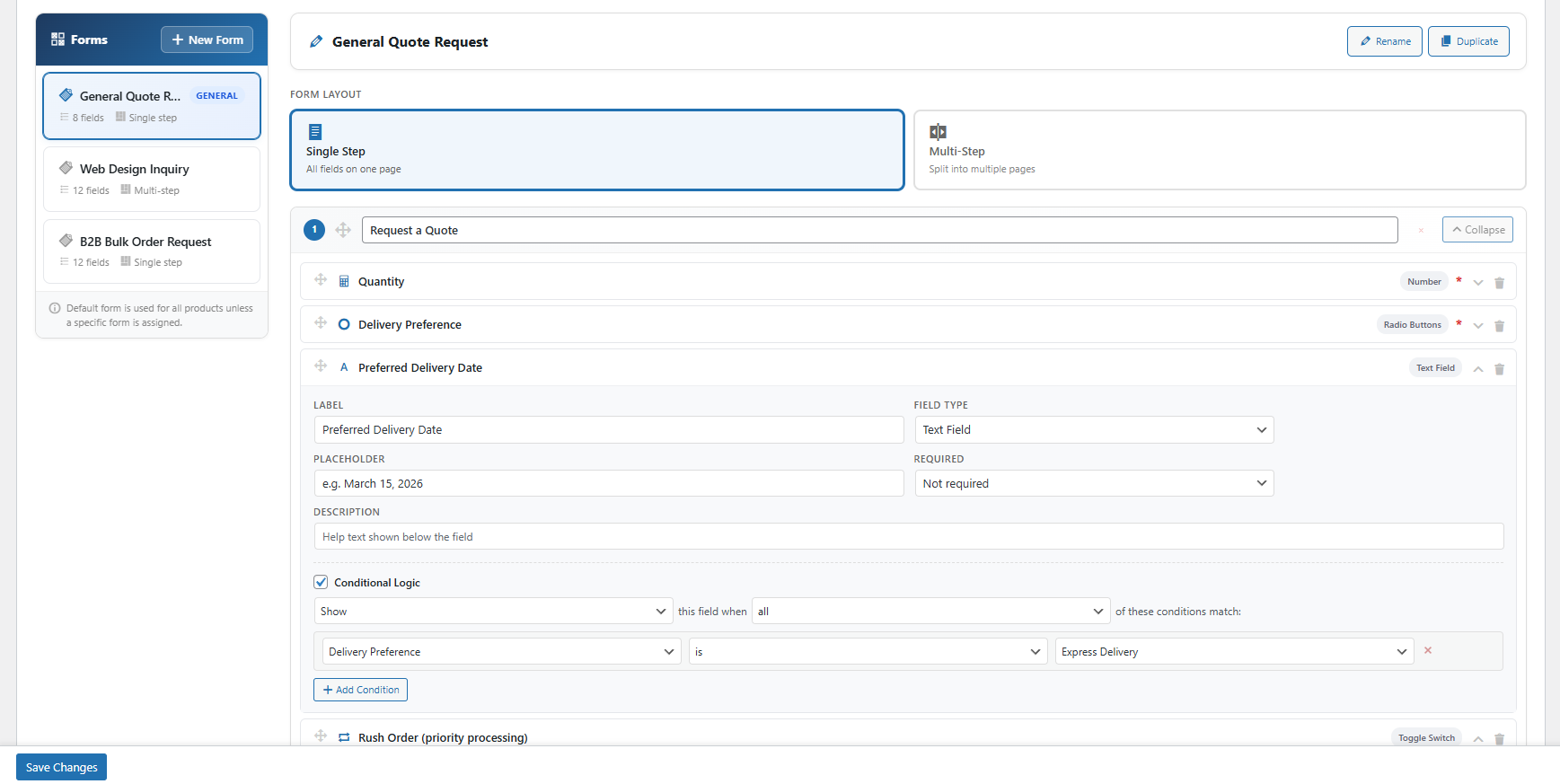
- Required options: Make fields always required, required only for guests, required only for logged-in users, or optional.
- Conditional logic per field: Show or hide a field when certain conditions are met. You can check if another field’s value is, is not, contains, is empty, or is not empty.
- Field mapping: Map fields to the customer name, email, phone, and message. The data will automatically appear in the request record.
- Number fields: Set minimum and maximum values for number inputs to control things like quantity ranges or budget limits.
APPEARANCE
Fully Customizable Design, No CSS Required
Make the plugin match your brand. You can style everything from the settings page: buttons, popups, form fields, checkboxes, dropdowns, and more.
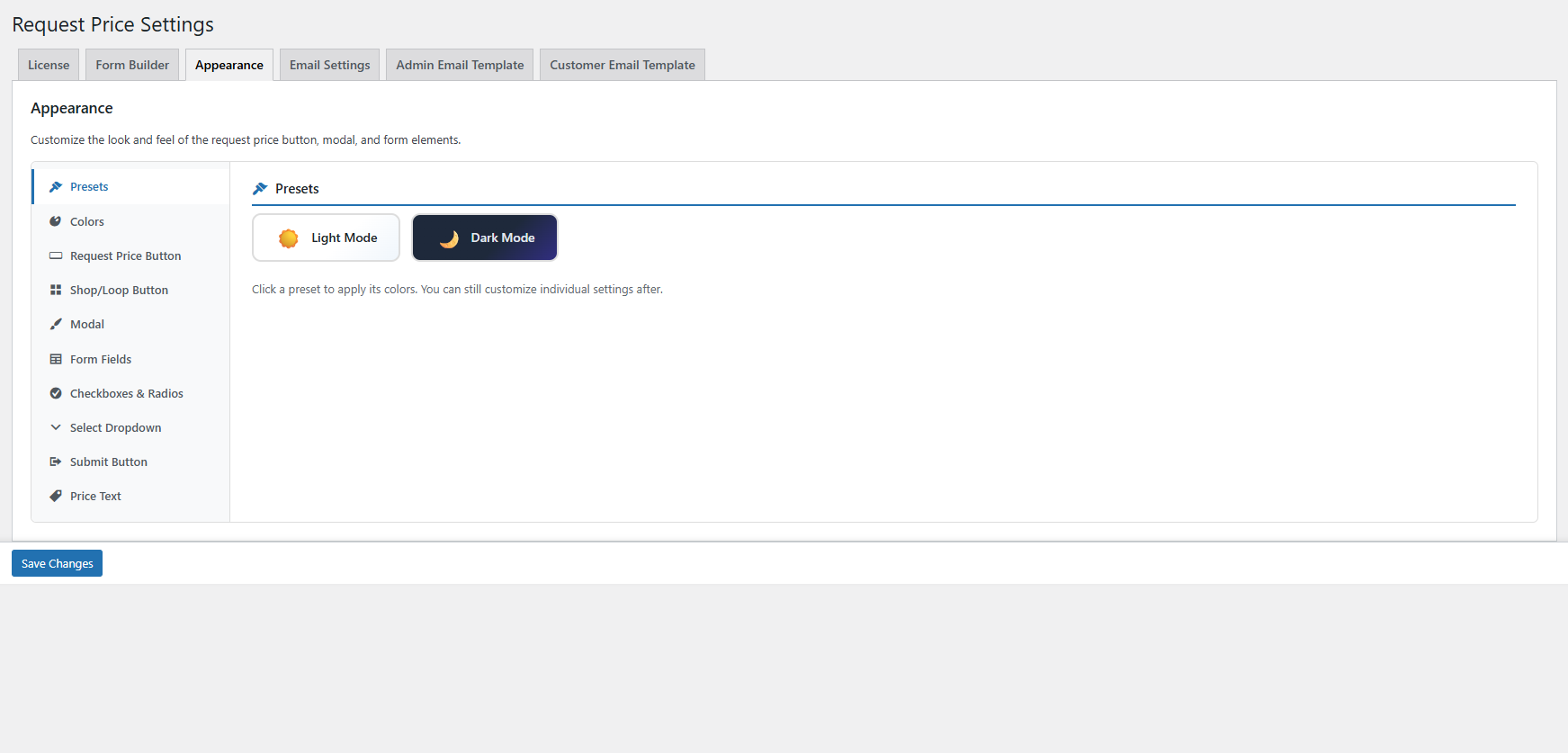
- Light & Dark presets: Apply a preset with one click to set all colors at once, then adjust individual settings as needed.
- 10 style categories: Presets, Colors, Request Price Button, Shop/Loop Button, Modal, Form Fields, Checkboxes & Radios, Select Dropdown, Submit Button, Price Text.
- Accent color system: Pick one accent color and it gets applied everywhere: buttons, focus rings, active states, and radio/checkbox highlights.
- Shop/Loop button control: Set the alignment (left, center, right) and width (auto, 50%, 75%, 100%, or custom) for the button on shop and category pages.
- Choice style options: Show checkboxes and radios as bordered cards or simple inline lists. Pick between chevron, arrow, or no icon for select dropdowns.
EMAIL SETTINGS
Branded Email Notifications
Both the store admin and the customer get email notifications when a price request is submitted. You can customize the logo, subjects, recipients, header/footer content, and use dynamic placeholders.
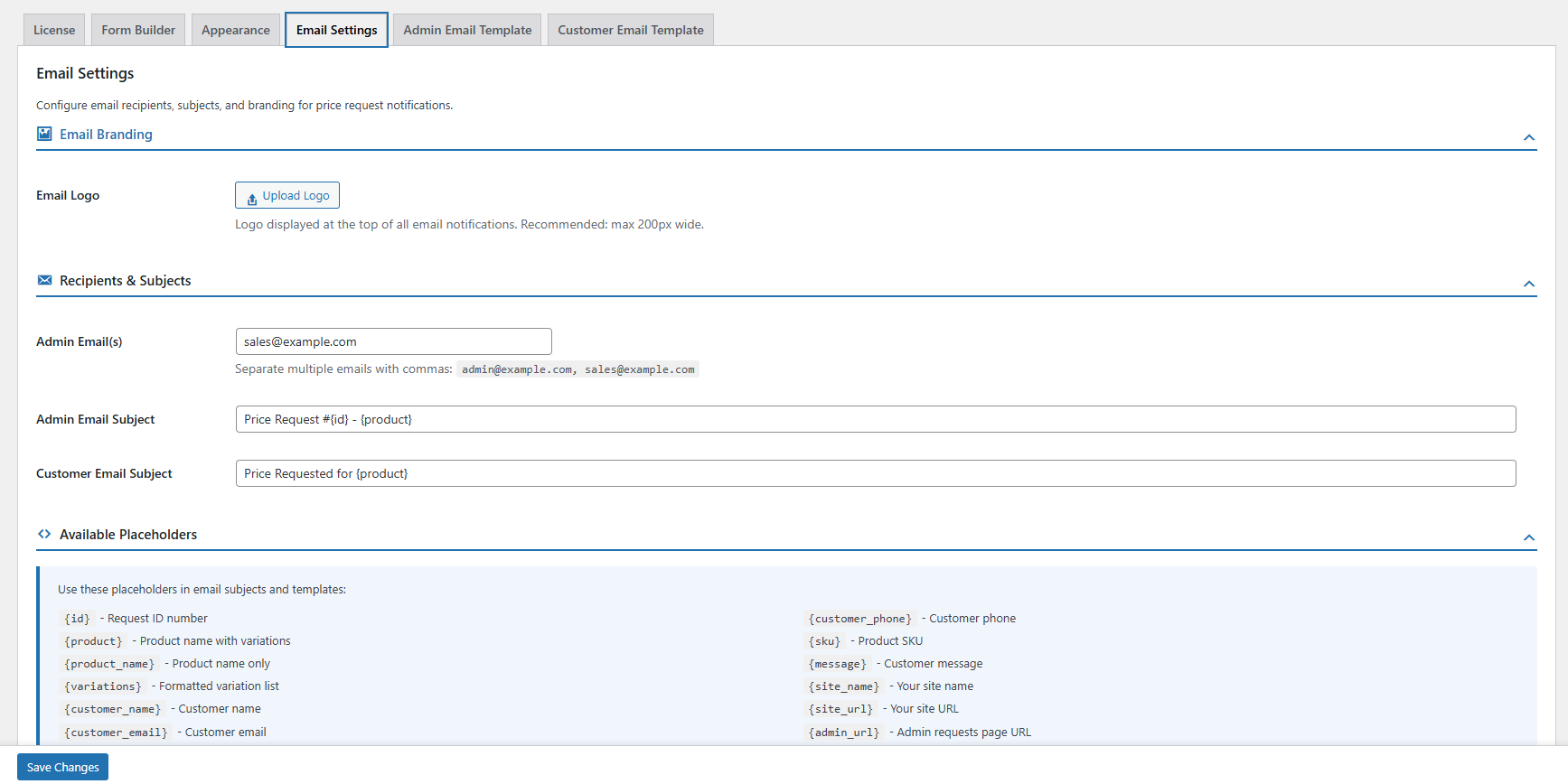
- Email branding: Upload your logo and it will appear at the top of all notification emails. Recommended max width is 200px.
- Separate admin & customer templates: Customize the header and footer for admin emails and customer confirmation emails separately.
- Dynamic placeholders: Use placeholders like
{customer_name},{product},{id},{site_name}, and more in your email subjects and templates. - Multiple admin recipients: Send admin notifications to more than one email address. Just separate them with commas.
- Live preview: See how your emails will look with sample data before you save.
PRODUCT SETTINGS
Enable Request Price Per Product
Turn on the “Request Price” button for any product directly from the WooCommerce product edit page. Pick which form to show and choose between modal (popup) or inline display mode.
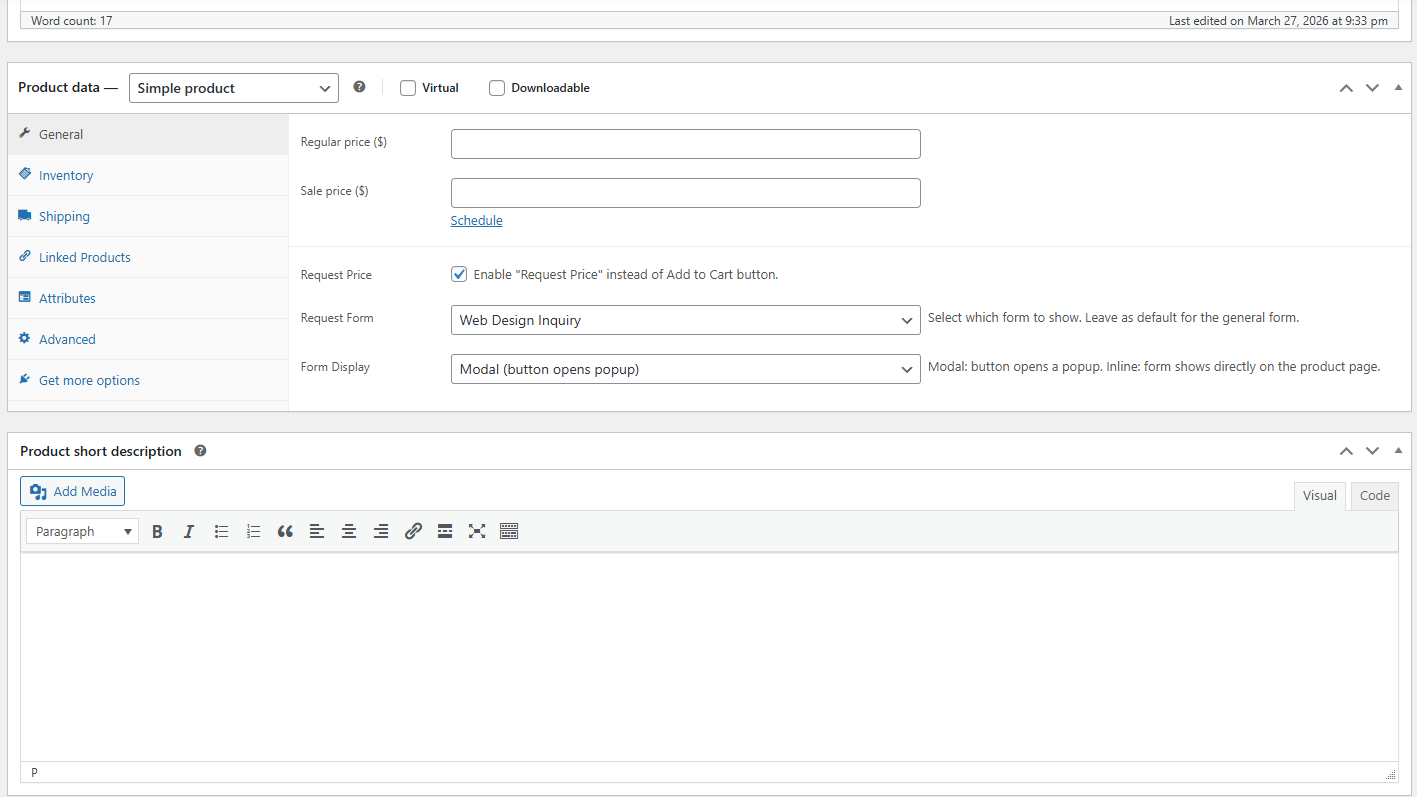
- Enable per product: Check the “Request Price” box to replace the Add to Cart button on that product.
- Choose a form: Select which quote form to use from the dropdown. Leave it as default to use the general form.
- Display mode: Pick “Modal” to open the form in a popup, or “Inline” to show it directly on the product page.
FRONTEND – MODAL MODE
Clean “Request Price” Button with Popup Form
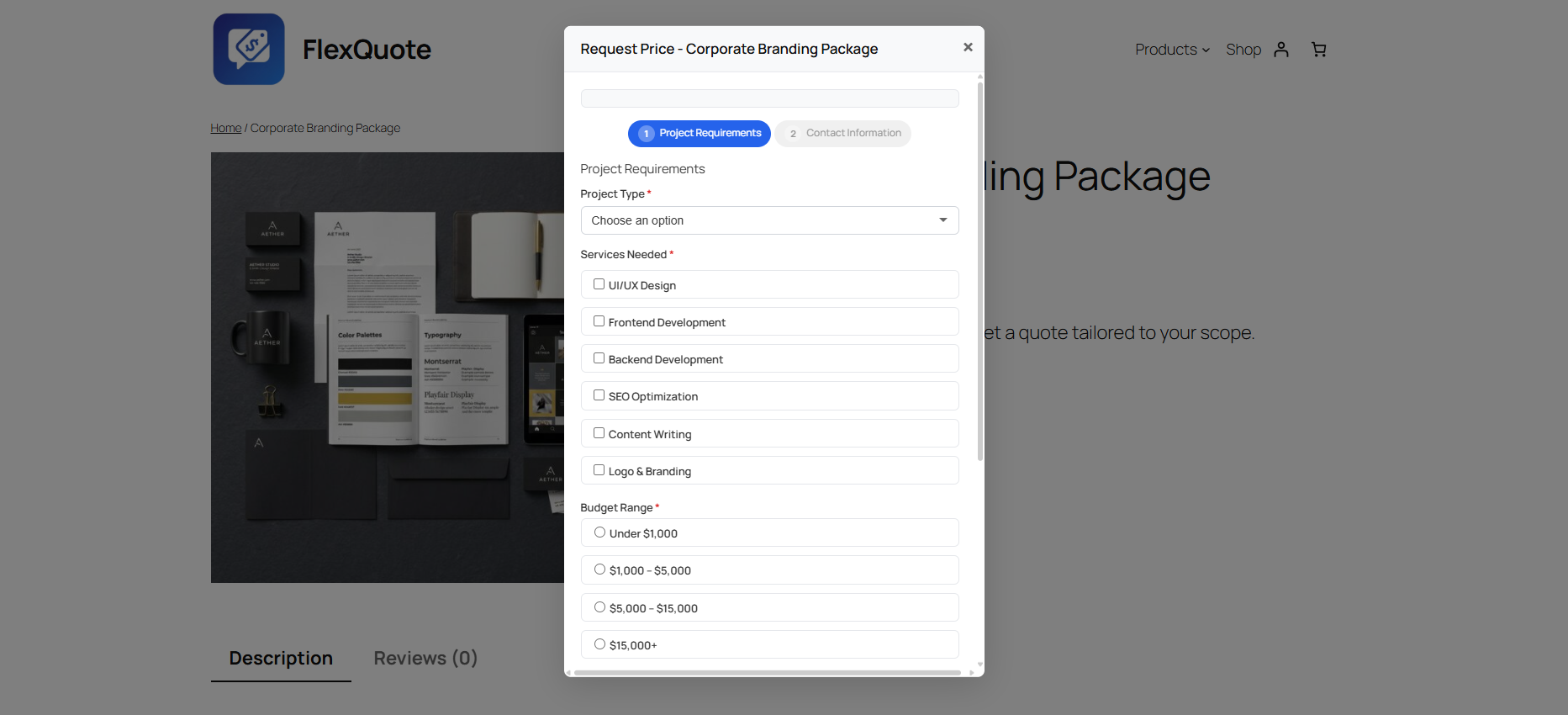
The Add to Cart button gets replaced with a “Request Price” button. When the customer clicks it, a popup appears with your custom form. The product page stays clean and simple.
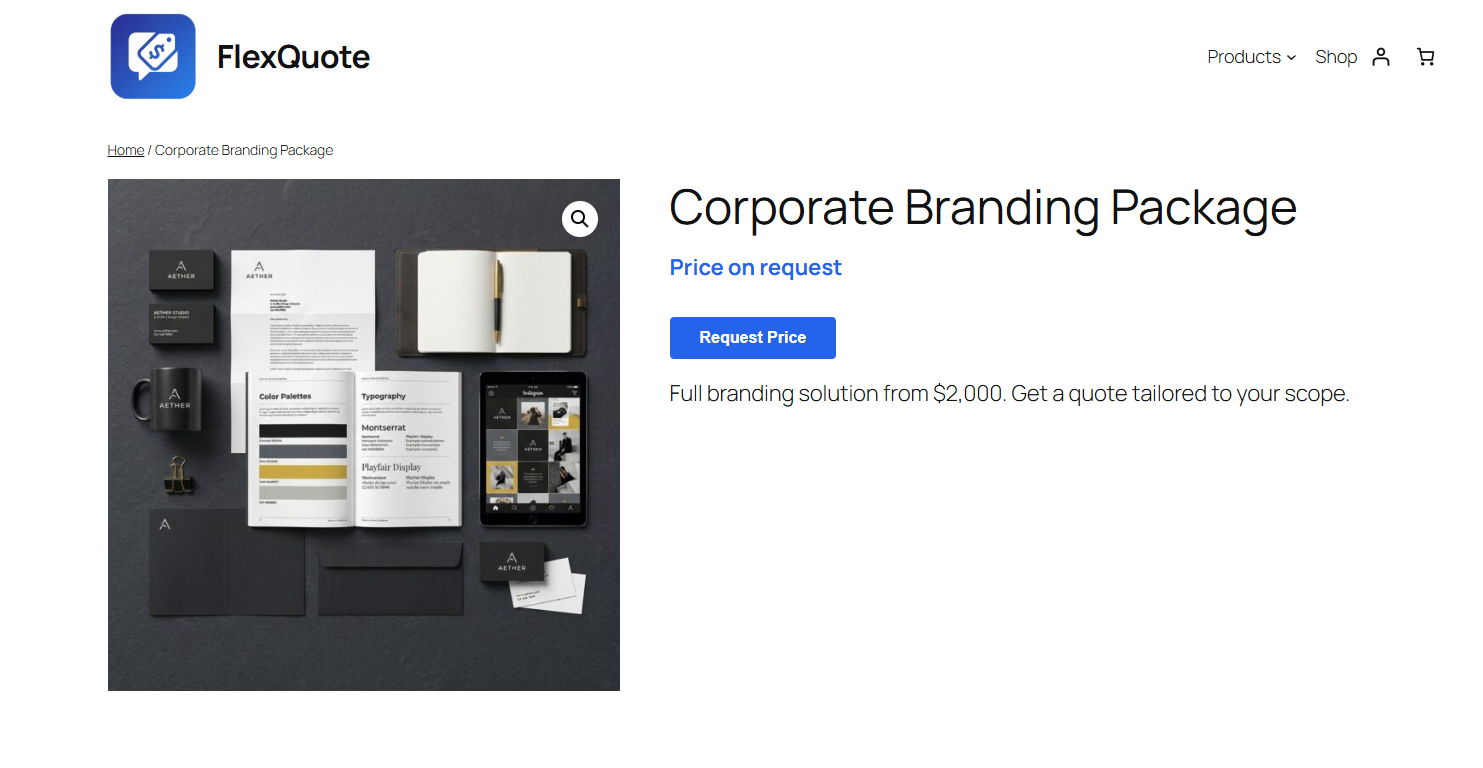
- “Price on request” text: The product price gets replaced with custom text like “Price on request” or “Contact us for pricing”.
- Multi-step in modal: Multi-step forms work great inside the popup, with step tabs, back/next buttons, and a submit button.
- Variable product support: For variable products, the customer picks their options first. The “Request Price” button only shows up after options are selected, and the chosen variation is saved with the request.
- Works on shop pages too: The “Request Price” button also replaces “Add to Cart” on shop, category, and archive pages. It links directly to the product page.
FRONTEND – INLINE MODE
Inline Form Directly on the Product Page
Want the form to show directly on the product page instead of a popup? Switch to inline mode and the form appears right below the product title. No extra click needed.
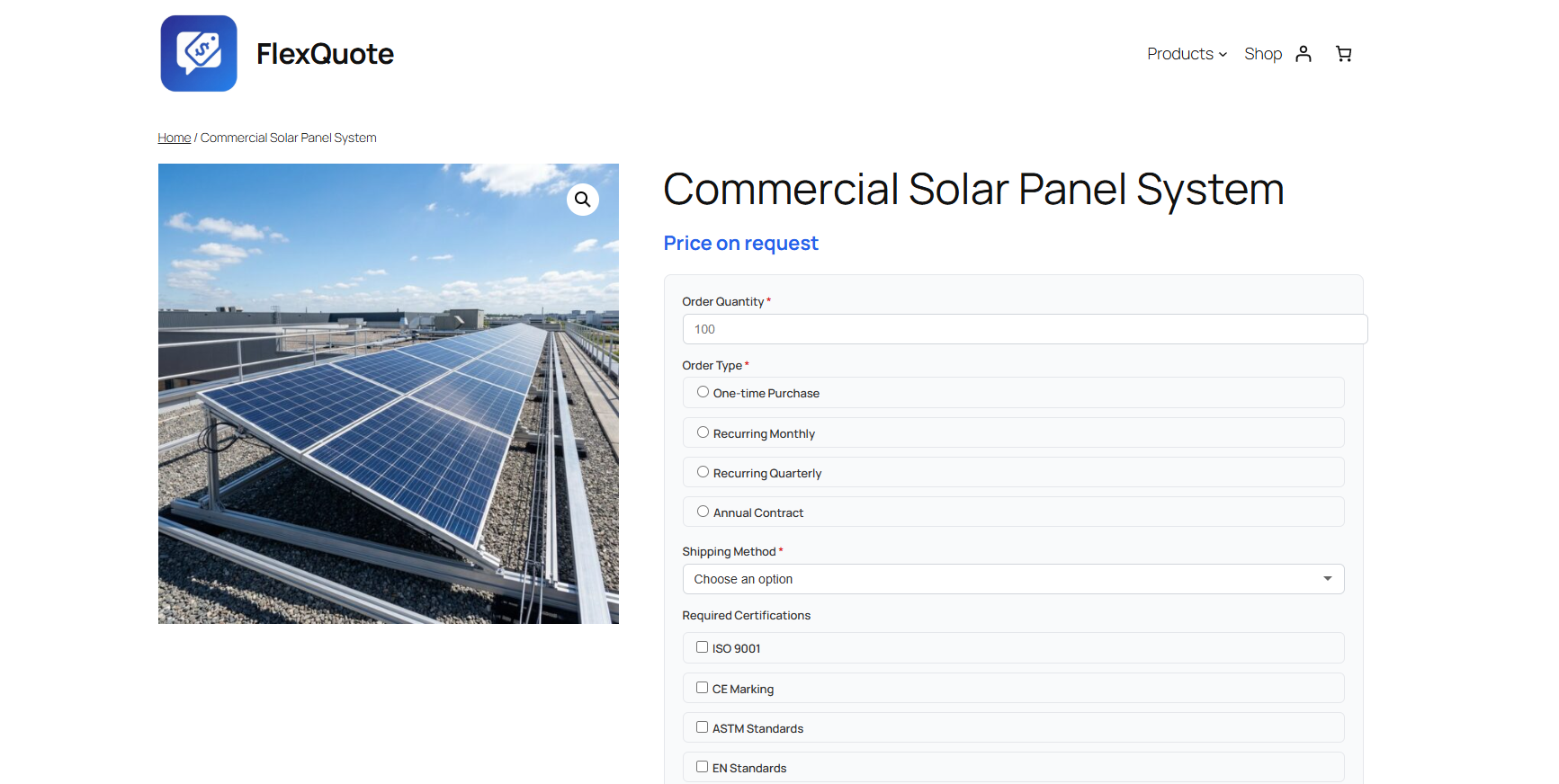
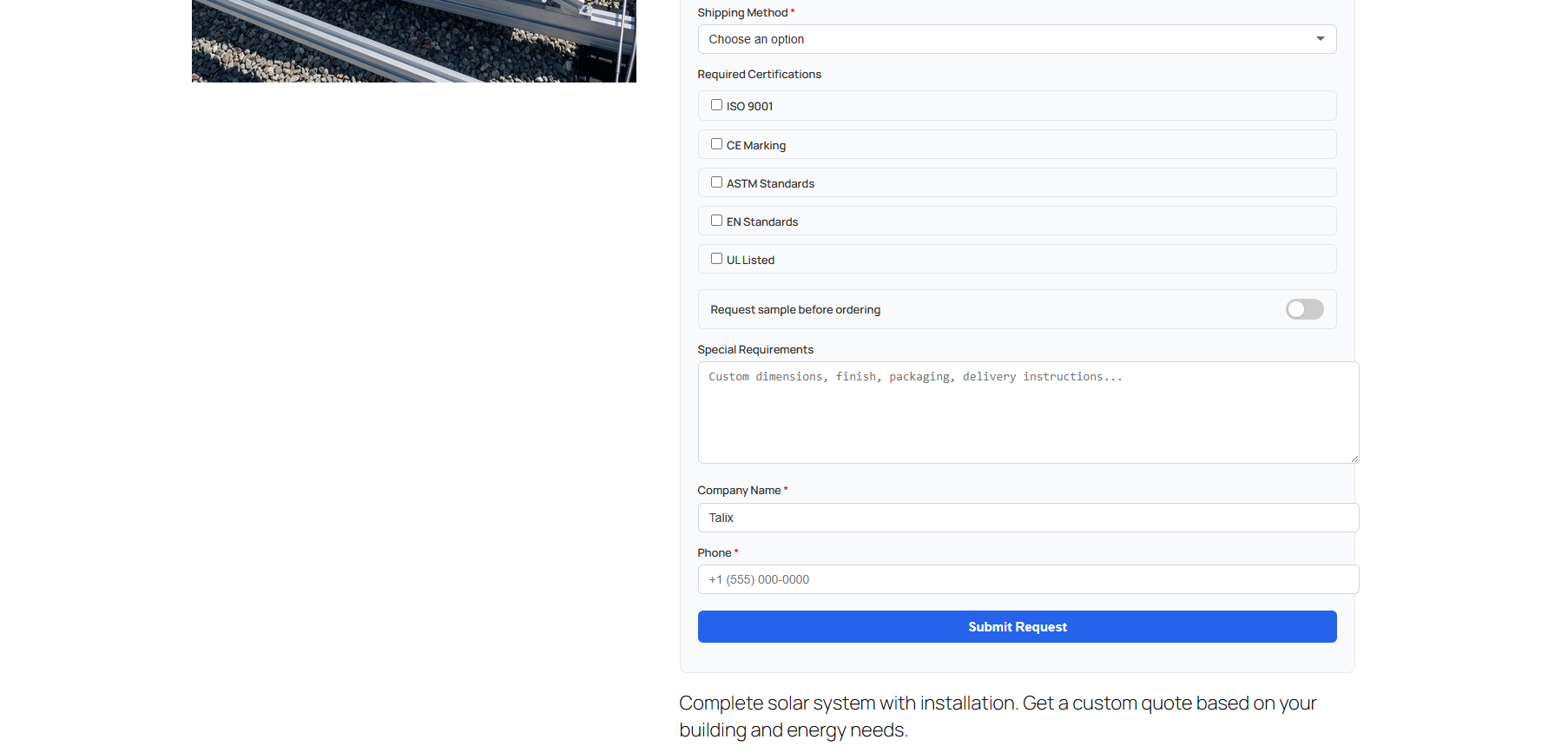
- Per-product display mode: Choose between modal or inline mode for each product from the product edit screen.
- Full form on page: All field types work on the page: dropdowns, radio buttons, checkboxes, toggles, text areas, and number inputs with validation.
- Toggle switches: Yes/no fields show as modern toggle switches (for example, “Request sample before ordering”).
- Responsive design: Forms look good on any screen size and work with all major WooCommerce themes.
Available in 7 Languages + Translation Ready
🇬🇧 English
🇩🇪 Deutsch
🇫🇷 Français
🇪🇸 Español
🇮🇹 Italiano
🇳🇱 Nederlands
🇧🇷 Português (BR)
🇭🇷 Hrvatski
🇩🇪 Deutsch
🇫🇷 Français
🇪🇸 Español
🇮🇹 Italiano
🇳🇱 Nederlands
🇧🇷 Português (BR)
🇭🇷 Hrvatski
Requirements & Compatibility
- WordPress: 5.0 or higher
- WooCommerce: 7.0 or higher (tested up to 9.0)
- PHP: 7.2 or higher
- HPOS Compatible: Fully compatible with WooCommerce High-Performance Order Storage
- Theme compatible: Works with any WooCommerce-compatible theme (Storefront, Astra, OceanWP, Flatsome, Woodmart, etc.)
- Clean uninstall: Removes all plugin data (tables, options, meta) when deleted through WordPress
Changelog
Version 1.0.2 – Initial release. Includes drag & drop form builder, conditional logic, analytics dashboard, invoicing with WooCommerce checkout, appearance customizer, email templates, multi-language support, and shop/loop button settings.
Start Collecting Quote Requests Today
Turn your WooCommerce store into a quote-driven business. FlexQuote takes care of the forms, emails, invoicing, and payments so you can focus on closing deals.